Serverless file transfer in the browser, how NebulaTransfer sends files peer to peer
How NebulaTransfer moves files of up to 100 GB straight from one browser to another with WebRTC, a tiny transfer protocol with PIN checks and a sliding window, and IndexedDB on the receiving side.
, 12 min read
Sending a big file to the laptop next to you is still oddly hard. Email stops at 25 MB. Cloud drives want an account, upload the whole file to a data centre, and then download it again, so a 10 GB dataset crosses the internet twice and sits on someone else’s server in between. USB sticks work, if you can find one.
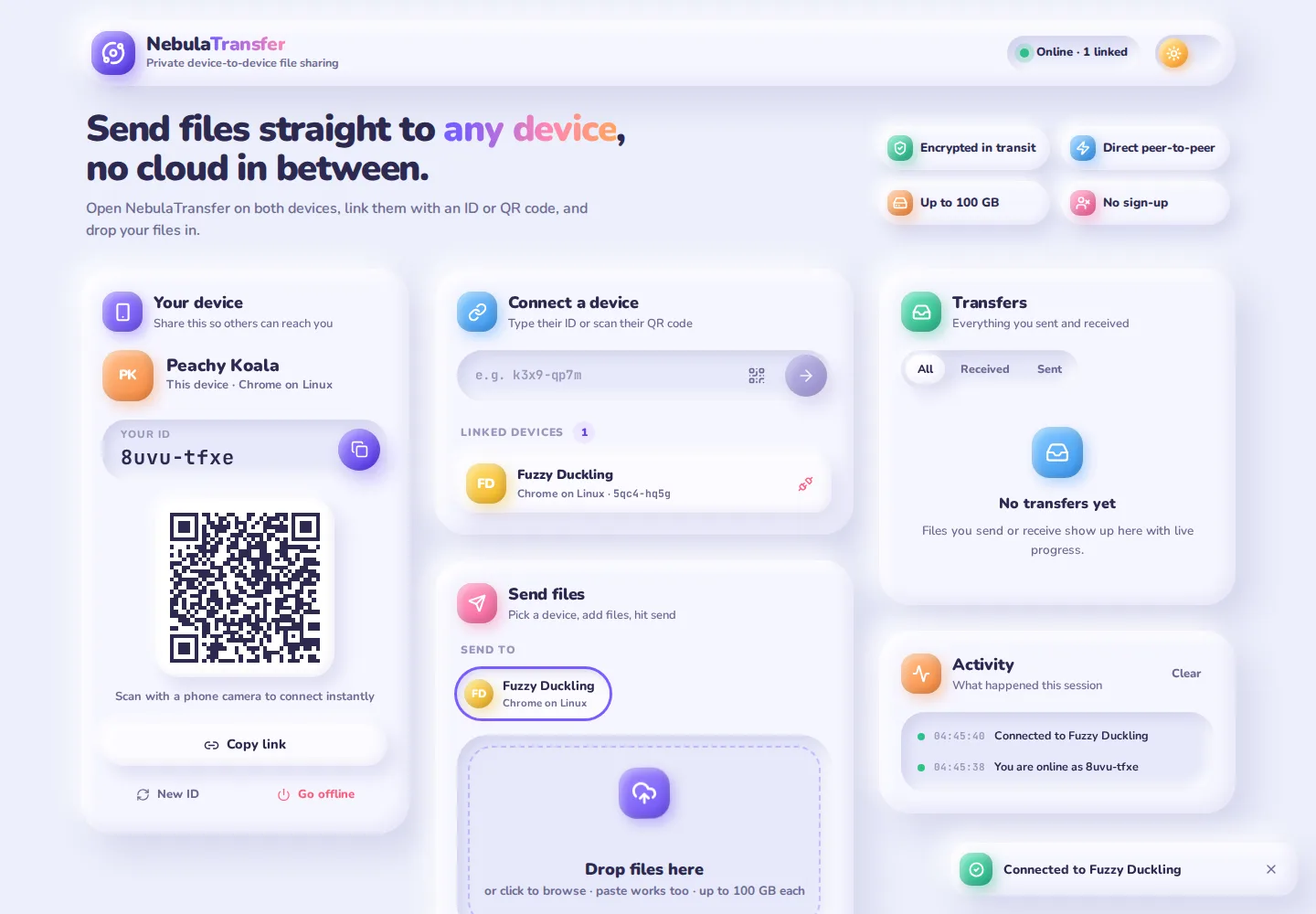
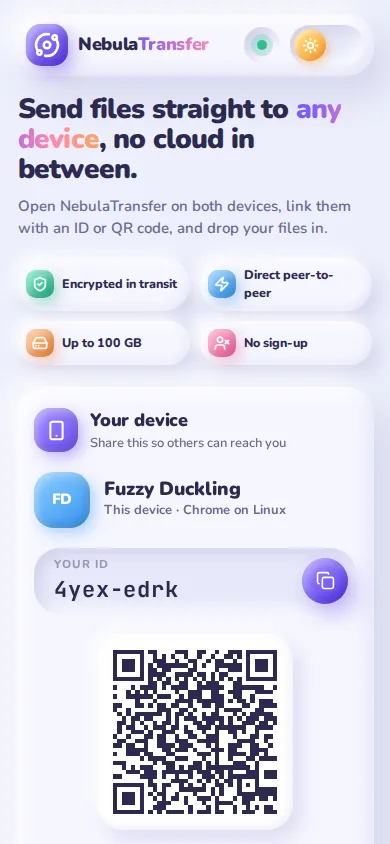
NebulaTransfer is my answer: open the same web page on both devices, link them with a short ID or a QR code, and drop the file in. The bytes go straight from one browser to the other. There is no upload, no account and no storage bucket, and the app itself is a static site on GitHub Pages.
This post explains how it works, from how two browsers find each other to the small protocol that moves 100 GB without running out of memory.
Try it: open NebulaTransfer on two devices, or in two browser windows. The source is on GitHub.
What “serverless” means here
“Serverless” usually means someone else runs the server. Here it means something stricter: no server ever holds or forwards your file. Three pieces of infrastructure are still involved, and it is worth being exact about what each one sees.
| Piece | Who runs it | What it does | Sees your file? |
|---|---|---|---|
| Static site | GitHub Pages | Serves the HTML, CSS and JavaScript once | No |
| Signalling server | PeerJS public cloud (0.peerjs.com) | Passes a few kilobytes of connection details between the two browsers | No |
| STUN server | Google (stun.l.google.com) | Tells each browser its public IP address and port | No |
| TURN relay (fallback only) | PeerJS (eu-0 / us-0.turn.peerjs.com) | Forwards encrypted packets when no direct path exists | Only encrypted bytes it cannot read |
Scroll sideways to see the whole diagram.
The rest of this post follows a file from one browser to the other: first the connection, then identity and linking, then the transfer protocol, flow control and storage.
Step 1: Two browsers find each other
Browsers cannot listen on a port the way a server does. They sit behind home routers, mobile carriers and firewalls that only allow outgoing traffic, so neither side can simply “connect” to the other. WebRTC solves this with three ingredients:
- Signalling. Each side describes itself in a session description (SDP): what it supports and the fingerprint of the certificate it will use for encryption. These descriptions have to reach the other side somehow; WebRTC deliberately leaves that to the app. NebulaTransfer uses PeerJS, which keeps a WebSocket open to a small relay server and forwards messages between peer IDs.
- ICE candidates. Each browser collects every address the other side might reach it on: its local network address, and its public address as seen from the internet, which it learns by asking a STUN server. The browsers exchange these candidates and test them in pairs until one works. This is how two devices behind different routers manage to open a direct path (NAT traversal).
- DTLS. Once a path works, the browsers run a TLS-style handshake directly with each other and check the certificate against the fingerprint from the SDP. From then on everything on the data channel is encrypted.
Scroll sideways to see the whole diagram.
After the channel opens, the signalling server has nothing more to do with this pair of devices. It never sees a single byte of the file.
In code, PeerJS hides most of this. Going online is one line, and connecting is another:
const peer = new Peer(id, peerServerOptions());          // register "nebula-k3x9-qp7m"
peer.on('connection', (conn) => setupConnection(conn, false));

const conn = peer.connect(targetId, { reliable: true, metadata: { device: describeDevice() } });
conn.on('open', () => { /* encrypted data channel is ready */ });
reliable: true asks for an ordered, retransmitted channel (SCTP in reliable mode), so the app never has to reorder or resend anything itself.
When the direct path fails
Some networks block every direct route: strict corporate firewalls, some mobile carriers, symmetric NATs on both sides. For those, WebRTC falls back to a TURN relay that forwards packets between the two browsers. PeerJS ships with its own public TURN servers in its default configuration, so NebulaTransfer gets this fallback for free. The relay only ever sees DTLS-encrypted packets. It is slower than a direct path, and the free servers are best-effort, so for heavy use you can point the app at your own PeerServer and TURN server with four environment variables.
Step 2: IDs you can read out loud
Every device needs an address the other person can type. NebulaTransfer generates IDs like k3x9-qp7m: eight characters from an alphabet without look-alikes (no 0/o, no 1/l/i), prefixed with nebula- on the wire so they cannot clash with other PeerJS apps.
const ID_ALPHABET = 'abcdefghjkmnpqrstuvwxyz23456789'; // no 0/o, 1/l/i

function randomChars(count: number): string {
  const bytes = crypto.getRandomValues(new Uint8Array(count));
  return Array.from(bytes, (b) => ID_ALPHABET[b % ID_ALPHABET.length]).join('');
}

export function generatePeerId(): string {
  return `nebula-${randomChars(4)}-${randomChars(4)}`;
}
That gives possible IDs, plenty to avoid collisions on a shared server. If the server says an ID is taken anyway, the app quietly picks a new one and retries.
The ID is stored in localStorage, so a device keeps its address across reloads. Each ID also gets a friendly name and a colour, such as Peachy Koala, derived from an FNV-1a hash of the ID. Both screens show the same name for the same device without any extra messages.
There are three ways to link:
- Type the ID. The input accepts the short form, the full ID or a whole share link.
- Open a share link.
…/NebulaTransfer/?connect=k3x9-qp7mconnects automatically once the page is online, then removes the parameter from the address bar. - Scan a QR code. The QR code contains that share link, so a phone’s normal camera app opens it directly. Inside the app, a scanner reads frames from the camera with
getUserMediaand decodes them with jsQR about eight times a second.
One small detail: if both people press Connect at the same moment, two connections open. Both sides independently keep the one started by the lexicographically smaller ID, so they always agree without talking about it.
Step 3: A protocol for one file
The data channel is a pipe for messages. NebulaTransfer defines ten message types on top of it, each a small object with a t field:
| Message | Direction | Carries |
|---|---|---|
hello | both ways | device description, e.g. Chrome on Linux |
offer | sender → receiver | name, size, type, number of chunks, whether a PIN is required |
answer | receiver → sender | accept or decline, and the PIN the receiver typed |
pin-wrong | sender → receiver | attempts left |
start | sender → receiver | the offer is accepted, chunks follow |
chunk | sender → receiver | chunk index and 256 KB of data |
ack | receiver → sender | chunk index, now safely stored |
done | sender → receiver | every chunk was acknowledged |
done-ack | receiver → sender | the receiver has every part |
cancel | both ways | reason, at any time |
Scroll sideways to see the whole diagram.
cancel at any point, and a dropped connection fails every transfer on it. The PIN travels only from receiver to sender: the sender never reveals it, it just checks what the receiver typed.A few design choices are worth explaining.
Nothing moves until the receiver says yes. An offer only carries metadata. The receiver sees a dialog with the file name, size and sender, and must accept. Before answering, the receiver checks that the browser has enough free storage with navigator.storage.estimate(), so a 40 GB file is declined up front instead of failing at 90%.
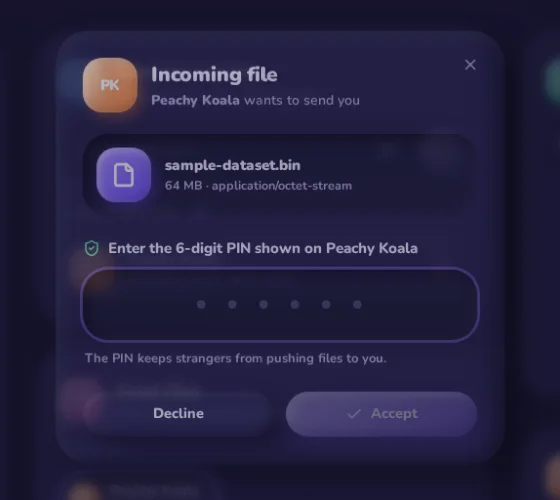
The PIN only travels one way. With Protect with PIN switched on, the sender’s screen shows a random 6-digit code, which the sender reads out to the receiver. The receiver types it, and the answer carries what they typed. The sender compares it locally:
for (;;) {
  const answer = await waitForAnswer();
  if (!answer.accept) return markDeclined();
  if (!ctx.pin || answer.pin === ctx.pin) break;           // correct: go on
  if (++ctx.pinAttempts >= MAX_PIN_ATTEMPTS) {               // 3 strikes
    sendTo(peerId, { t: 'cancel', id, reason: 'Too many wrong PIN attempts' });
    throw new TransferAbort('Too many wrong PIN attempts');
  }
  sendTo(peerId, { t: 'pin-wrong', id, attemptsLeft: MAX_PIN_ATTEMPTS - ctx.pinAttempts });
}
The PIN is never sent to the receiver’s device, so someone who has only learned your ID cannot read it from their own screen. With codes and three tries, a guesser succeeds with probability per offer. In practice the PIN answers one question: is the person accepting this file the person I am talking to?
Messages are validated, not trusted. The receiver checks every offer for sane types, a positive chunk count and the expected chunk size, ignores chunks with out-of-range indexes, and truncates names and reasons. An incompatible or misbehaving peer gets a cancel instead of a crash.
Step 4: Flow control with a sliding window
The naive way to send a file is a loop that reads it and calls send() as fast as possible. It works for small files and then falls over. The data channel buffers whatever you give it in memory, so a fast sender and a slow receiver can easily pile up gigabytes in RAM. Progress bars also lie: the sender’s bar reaches 100% when data enters its own buffer, long before the receiver has it.
NebulaTransfer uses a sliding window instead, the same idea TCP uses. The sender reads the file in 256 KB slices, but allows at most 8 unacknowledged chunks in flight. Each ack from the receiver frees one slot.
Scroll sideways to see the whole diagram.
let next = 0;
while (ctx.acked < t.chunks) {
  check();                                                 // cancelled? lost connection?
  if (next < t.chunks && next - ctx.acked < SEND_WINDOW) { // a free slot
    const data = await ctx.file.slice(next * CHUNK_SIZE, (next + 1) * CHUNK_SIZE).arrayBuffer();
    sendTo(peerId, { t: 'chunk', id, i: next, data });
    next++;
    continue;
  }
  await new Promise<void>((resolve) => (ctx.wake = resolve)); // sleep until the next ack
}
Three things fall out of this loop for free:
- Memory stays flat.
File.slice()does not read anything; only the chunk being sent is pulled from disk. The sender holds at most about 2 MB of file data, whether the file is 2 MB or 100 GB. - Back-pressure. The receiver only acknowledges a chunk after writing it to storage. If its disk is slow, acks slow down, and the sender slows down with them.
- Honest progress. Both progress bars count acknowledged bytes, so sender and receiver show the same number. Speed is smoothed with an exponential moving average updated at most every 200 ms, so the display does not jitter: the new speed is 70% of the old one plus 30% of the latest measurement.
The window size is a trade-off. A window of bytes can deliver at most per round trip, so the protocol’s speed limit is
Show the numbers
| Round trip | 2 chunks | 8 chunks | 32 chunks |
|---|---|---|---|
| 5 ms | 100 MB/s | 400 MB/s | 1600 MB/s |
| 10 ms | 50 MB/s | 200 MB/s | 800 MB/s |
| 20 ms | 25 MB/s | 100 MB/s | 400 MB/s |
| 40 ms | 13 MB/s | 50 MB/s | 200 MB/s |
| 80 ms | 6.3 MB/s | 25 MB/s | 100 MB/s |
| 120 ms | 4.2 MB/s | 17 MB/s | 67 MB/s |
| 160 ms | 3.1 MB/s | 13 MB/s | 50 MB/s |
| 200 ms | 2.5 MB/s | 10 MB/s | 40 MB/s |
A larger window would raise the ceiling on long-distance links but hold more data in memory and make cancellation less responsive. Eight chunks keeps the limit above typical home connections almost everywhere.
Under the hood there is one more layer of chunking. PeerJS’s default binary serialisation splits every message into pieces of about 16 KB, because larger messages break between Firefox and Chrome. A single 256 KB chunk message therefore travels as 17 small ones and is reassembled before the app sees it.
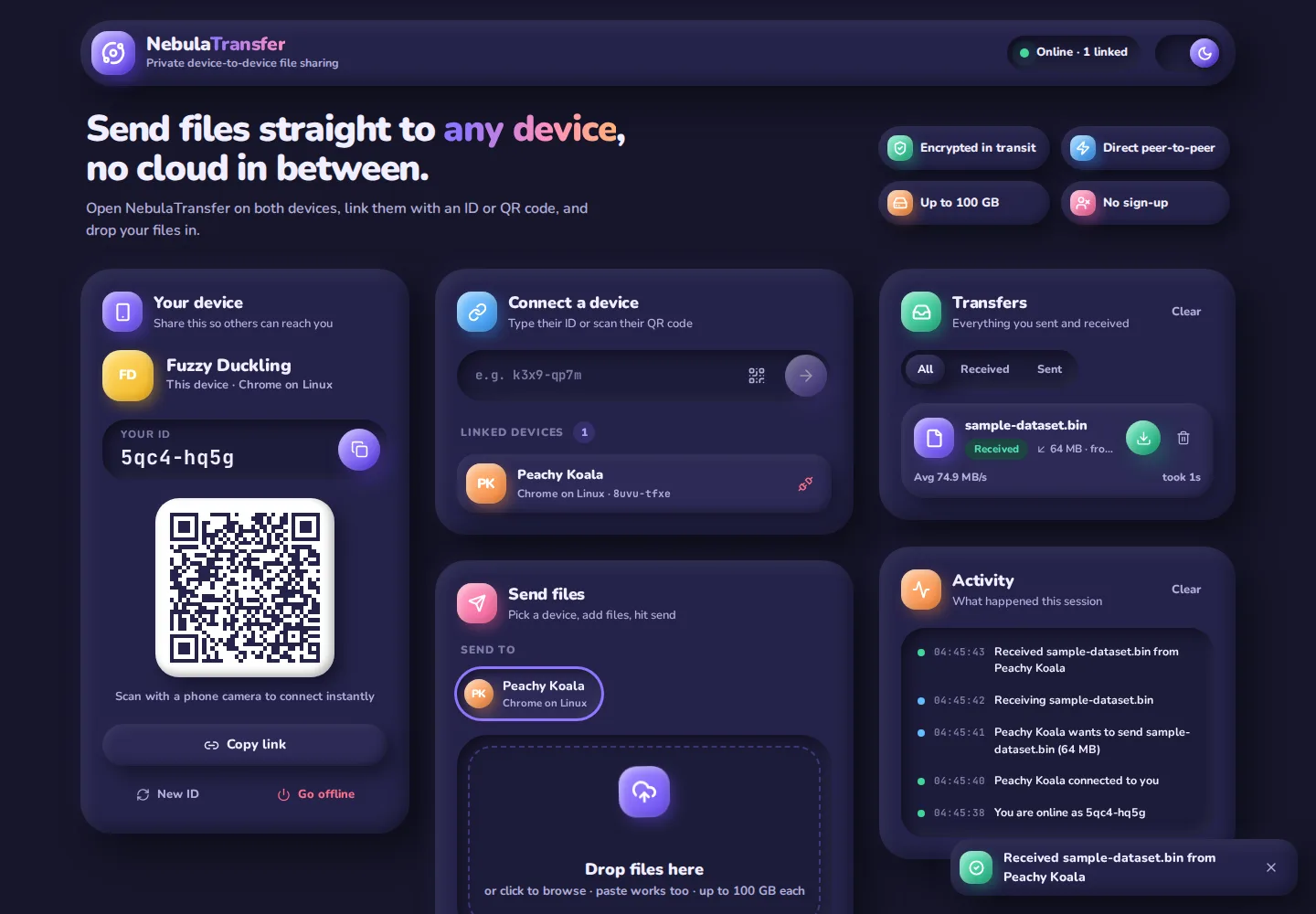
How fast is it in practice? In my test, two Chrome windows on one laptop sent a 64 MB file with the PIN switched on, and the app reported an average of 74.9 MB/s. The received file’s SHA-256 hash matched the original exactly. Both windows were on the same machine, so this measures the app’s own overhead, not a real network. Between two devices on Wi-Fi, the wireless link is the limit.
Step 5: Receiving 100 GB without 100 GB of RAM
The obvious way to receive a file in the browser is to collect chunks in an array and build a Blob at the end. For a 10 GB file that is 10 GB of RAM, and the tab crashes long before.
NebulaTransfer writes every chunk to IndexedDB as it arrives, as its own small Blob, and only acknowledges it once the write has finished:
const key = (transferId: string, index: number) =>
  `${transferId}:${String(index).padStart(9, '0')}`;

export async function saveChunk(transferId: string, index: number, data: ArrayBuffer) {
  await (await db()).put('chunks', new Blob([data]), key(transferId, index));
}

export async function assembleFile(transferId: string, chunks: number, mime: string) {
  const range = IDBKeyRange.bound(key(transferId, 0), key(transferId, chunks - 1));
  const parts = (await (await db()).getAll('chunks', range)) as Blob[];
  if (parts.length !== chunks) throw new Error(`File is incomplete (${parts.length} of ${chunks} parts stored).`);
  return new Blob(parts, { type: mime || 'application/octet-stream' });
}
Two small tricks make this work:
- Zero-padded keys. IndexedDB sorts string keys character by character, so
:000000010correctly comes after:000000009. A single key range then returns every chunk of one transfer, already in order. - Blobs, not buffers. Browsers can keep
Blobs on disk instead of in memory. When you press Save,new Blob(parts)joins them without copying the data, and a temporary object URL triggers a normal download. Images, video, audio, PDFs and text can be previewed the same way before saving.
Before acknowledging done, the receiver checks it has stored every chunk. If any part is missing, it fails the transfer instead of saving a broken file. Cancelled and failed transfers delete their chunks straight away, and the app clears the store on startup, because a half-received file cannot be resumed after a reload.
Step 6: When things go wrong
A file transfer between two browsers has many ways to end. The app keeps every transfer in one of seven states, and every path ends in exactly one final state with a reason both people can read.
Scroll sideways to see the whole diagram.
The network layer handles the messy parts:
- Lost signalling connection. If the WebSocket to the PeerJS server drops, the app reconnects with exponential back-off (1 s, 2 s, 4 s, up to 15 s). Existing data channels keep working while it does, because they do not depend on the server.
- Flaky ICE. A connection whose ICE state becomes
disconnectedgets 8 seconds to recover before it is closed.failedorclosedcloses it at once. - Closed tab. The page asks for confirmation before you close a tab mid-transfer. If a connection does drop, every transfer on it is marked failed on both ends and the receiver deletes its partial file.
- One file at a time per device. Multiple files are queued per receiving device and sent one after another, so PIN prompts and bandwidth never compete.
What it does not do (yet)
Being honest about the limits matters more than the feature list:
- Both tabs must stay open. There is no store-and-forward. That is the price of never storing the file anywhere.
- No resume. A dropped connection means starting that file again. Resuming would need the receiver to keep chunks across reloads and tell the sender which ones it already has; the protocol has the pieces (indexed chunks and acks) but not the bookkeeping.
- The signalling server is trusted for introductions. DTLS encrypts the data channel, but the certificate fingerprints themselves arrive through the PeerJS server. A malicious signalling server could, in theory, introduce itself as a man in the middle. The PIN does not prevent that, because a relaying attacker could pass it along. The proper fix is to show both people a short code derived from both DTLS fingerprints and let them compare it, the way messaging apps show safety numbers. Self-hosting the PeerServer also removes the third party.
- Browser storage quotas. The receiver needs free browser storage for the whole file. Writing straight to disk with the File System Access API (
showSaveFilePicker) would remove that limit in browsers that support it.
Try it and read the code
NebulaTransfer is a React and TypeScript app built with Vite. The interesting parts are small: src/lib/network.ts (about 750 lines) holds the session, connections and the whole protocol, and src/lib/storage.ts is 60 lines.
- Use it: koustav.isroot.in/NebulaTransfer. Open it on two devices, scan one QR code with the other, and drop a file in.
- Read it: github.com/TakMashhido/NebulaTransfer. Issues and pull requests are welcome.
- More apps: see the Apps page for other things I have built.