NebulaTransfer
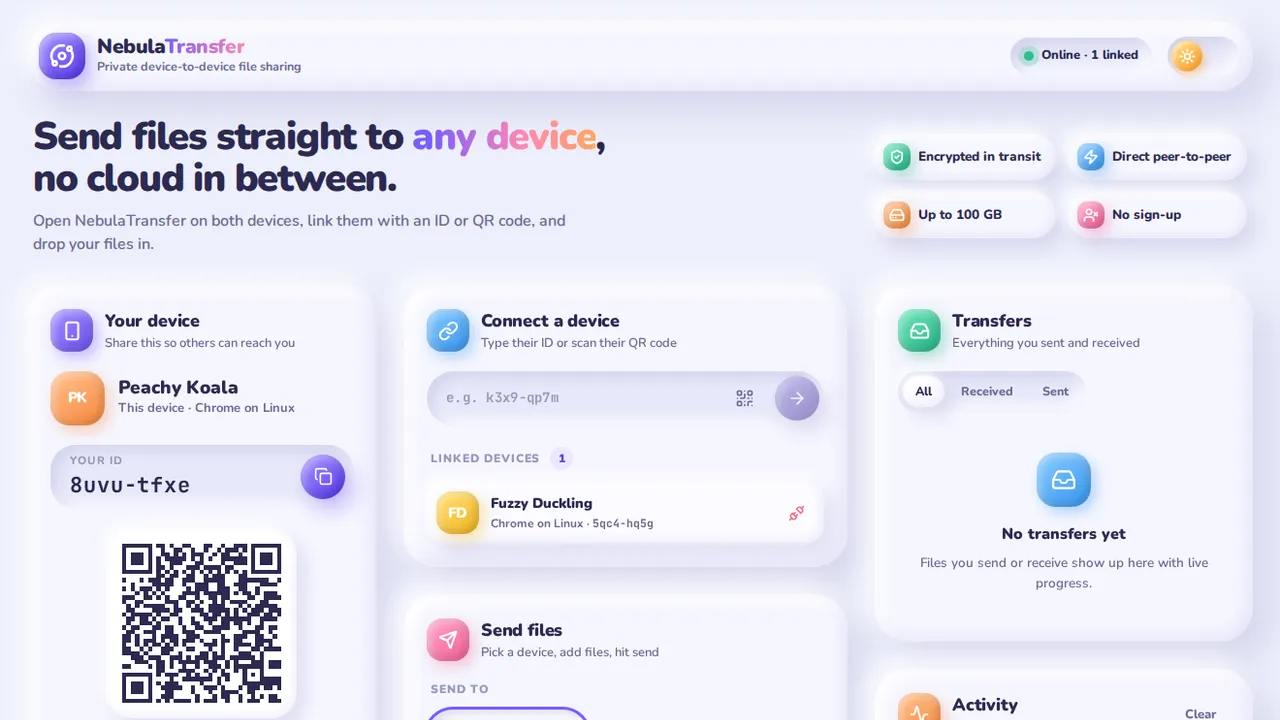
Send files of up to 100 GB straight from one browser to another. No upload, no account, no cloud in between; link devices with a short ID or a QR code.
Opens in a new tab on koustav.isroot.in.
What it does
NebulaTransfer moves files directly between two devices over an encrypted WebRTC connection. The file never touches a server: a small signalling server only introduces the two browsers, then gets out of the way.
- Any device with a browser. Phone to laptop, Windows to Mac, Android to Linux. Nothing to install.
- Big files. Up to 100 GB per file. Received chunks go to browser storage as they arrive, so memory use stays low.
- Private by default. The data channel is encrypted (DTLS). An optional 6-digit PIN makes sure the right person is accepting.
- Several files at once. Drag and drop, browse, or paste; files are queued and sent one after another with live speed and time remaining on both ends.
How to use it
- Open the app on both devices. Each one gets a short ID such as
k3x9-qp7mand a friendly name such as Peachy Koala. - Link them. Type one device’s ID into the other, open its share link, or scan its QR code with a phone camera.
- Send. Pick the device, drop your files in, and press Send. Switch on Protect with PIN and read the code out to the other person.
- Accept and save. The receiver accepts (typing the PIN if asked), watches the progress, then previews or saves the file.
Keep both tabs open until the transfer finishes. If a network blocks direct connections, the transfer is relayed through an encrypted TURN server instead.
How it works
Two browsers exchange connection details through PeerJS, open a WebRTC data channel, and run a small protocol on top: an offer the receiver must accept, a PIN check, 256 KB chunks with a sliding window of eight unacknowledged chunks, and a final confirmation that every part arrived. The full story, with diagrams, is in the blog post.